T
Apr 28, 2026
worked perfectly, application took arround 5 minutes. German special characters do not get accepted but those can be easily replaced.



| Version | 2.32.956 |
| Content Rating | Everyone |
| Android Required | 12 |
| Updated | Mar 9, 2026 |
| Developer | UK Visas and Immigration |
| Price | Free |
| Category | Travel & Local |
worked perfectly, application took arround 5 minutes. German special characters do not get accepted but those can be easily replaced.
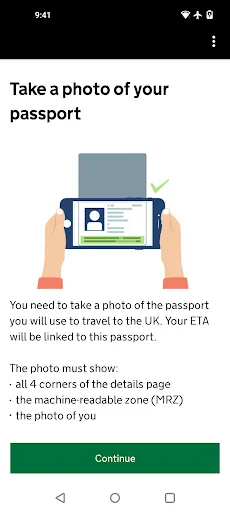
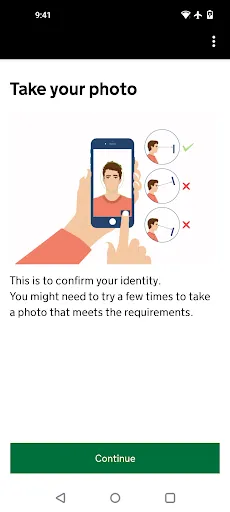
Overall works very well. Found it a little tricky taking the passport page photo but works great for a government app.
easy to get app
Although the process was easy to understand and fast, I had some issues with address form validation. It didn't accept the Polish format of "StreetName 00/00" where the first 00 is a building number and second 00 is flat number. The slash was an invalid character. Also zipcode in a widely used "00-000" Polish format was not accepted because of a dash character. The errors that I received under the inputs were generic and I had to figure out what was wrong with my data by myself.
terrible experience
took me a good 45-60 minutes just to go through the application. Every button press required 3 minutes of loading. I pressed "yes" to a question, what are you loading for 3 minutes? Btw, my phone is fine, internet too, everything else works, it's just this app. Also, three times during the application process I would get a random error out of nowhere, kicked from the app, and had to restart the process from the beginning.
take 20 identical photos of the passport without any glare and in good light, not acceptable. walk in a half dark room barely point camera at passport, this is perfect, proceed. 1 minute loading bar, black screen, the suddenly "hold phone to biometric chip" ok, instantly aborts, let's take another passport photo instead. try again for 5 min. finally another photo gets accepted, "There has been a problem with our app, please restart and try again later".
I am writing this to alert the development team about a serious issue. I followed every instruction and completed the process as requested, but a system error at the final stage resulted in a loss of £20 without providing the service. I strongly urge the team to investigate the stability of the payment/completion flow. It is disheartening to see users losing money due to technical bugs. Please consider fixing this urgently and providing a way for affected users to claim a refund. We want to use
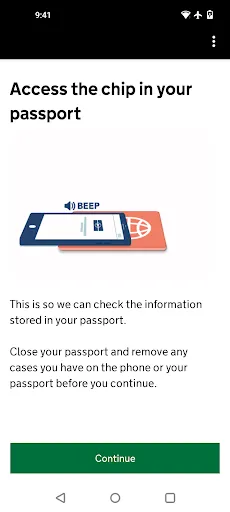
app is blocked at the biometric chip scan step
I noted the number of negative reviews so thought I would note that the App worked fine for me. 3 stars because the Address form didn't accept long addresses, but didn't say what the error was. If it doesn't let you submit, try shortening Address Line 1