S
Apr 29, 2026
A bunch of tabs in the account menu get 400 request error from time to time. Extremely slow to load pages.








| Version | 7.60.2 |
| Content Rating | Everyone |
| Android Required | 9 |
| Updated | Apr 27, 2026 |
| Developer | The Home Depot, Inc |
| Price | Free |
| Category | Shopping |
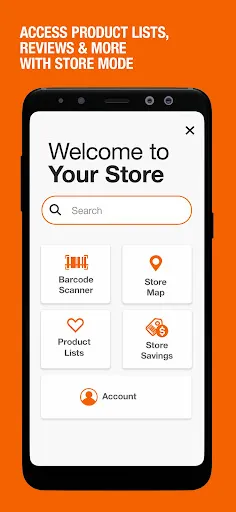
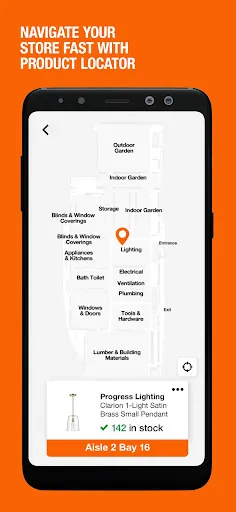
Rather than combining unrelated tools, The Home Depot concentrates on product discovery, shopping decisions, or purchase-related organization. Because the scope is focused, shoppers who want a more convenient mobile day-to-day use can open with with the central screen and learn secondary options only when they become practical. The offered store description provides enough detail to discuss the listed day-to-day use without inventing extra tools or screens. Geographic information is part of the advertised day-to-day use, which can support activity away from home. New users do not need to configure every option immediately; the primary workflow is the best place to open with. For The Home Depot, the practical test is whether product discovery, shopping decisions, or purchase-related organization feels clear and worthwhile during an ordinary session. Its value is easiest to see in everyday use, when a person wants to get something done without turning the session into a project of its own.
A bunch of tabs in the account menu get 400 request error from time to time. Extremely slow to load pages.
app is super slow, buggy, almost impossible to use. not a fan. wish it worked and functioned better seeing how big the company is
I have no idea when it happened, but this app has gotten so slow it's almost not usable and this is with my home wifi
This app is terrible. It's so bloated and slow. Looking up any information about a product takes a minimum of 5 minutes. There are so many related products and suggestions that take forever to load that you can't scroll down to find the sku or model numbers, much less product details, for at least 25 seconds. It is consistently one of the worst app interfaces and experiences I've ever had. I would never recommend it to anyone.
this has to be one of, if not the slowest app I use. It always lags. I try and see which store has what, and I have to change everything in my cart individually. I try ordering and can't because my card expired but it won't let me change my card. it just goes to a dark screen. I try using PayPal and the whole thing just stops working. Now when I go in, it's not even giving me the option to order. It just flat out won't work. This is all the time!!!
way to slow even with Wi-Fi
always have problems with the history purchases...!!! a lot bugs
Sucks so bad. Literally impossible to use in any store. Impossible to use in my home on my own internet. If I could find a person in-store, I would utlilize but that's obviosuly not going to happen so not even be able help myself feels like you as a company don't care about the consumer. Do better.
Great company but app is super
Horribly slow app. I only use it because I have to in order to buy from this store, but I absolutely hate it. Even when I'm sitting at home connected to WiFi, each page takes half a minute to load. If you click something from a search, trying to go back to the search results is impossible so you have to do the same thing over and over again. More often than not, I get frustrated with the app and go to another store that's farther away simply because I don't want to deal with it anymore.