W
Apr 21, 2026
Very accurate always keep your maps updated great for everyday use to navigate to wherever you need to go with live traffic and weather

| Version | 4.28.06 |
| Content Rating | Everyone |
| Android Required | 9 |
| Developer | Garmin |
| Price | Free |
| Category | Auto & Vehicles |
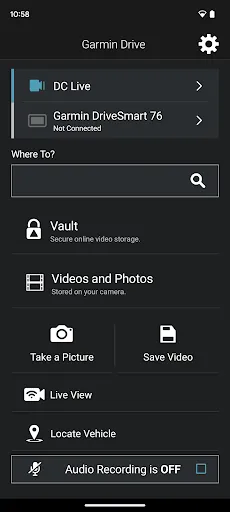
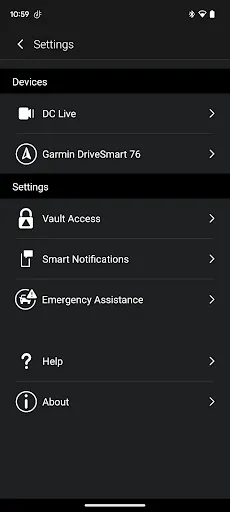
Rather than combining unrelated tools, Garmin Drive™ concentrates on vehicle-themed activity, driving, or racing challenges. Because the scope is focused, users interested in cars or driving-oriented experiences can open with with the central screen and learn secondary options only when they become practical. The offered store description provides enough detail to discuss the listed day-to-day use without inventing extra tools or screens. Geographic information is part of the advertised day-to-day use, which can support activity away from home. New users do not need to configure every option immediately; the primary workflow is the best place to open with. For Garmin Drive™, the practical test is whether vehicle-themed activity, driving, or racing challenges feels clear and worthwhile during an ordinary session. Its value is easiest to see in everyday use, when a person wants to get something done without turning the session into a project of its own.
Very accurate always keep your maps updated great for everyday use to navigate to wherever you need to go with live traffic and weather
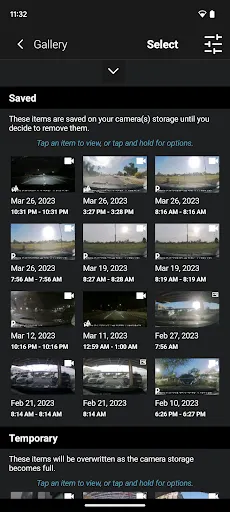
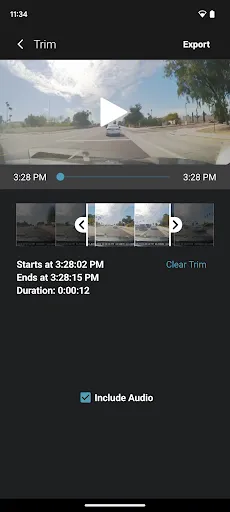
Awful app, won't connect to dashcam no matter what you do. Stuck in an infinite "connecting" loop. Basic functions doesn't work, but they have the guts to advertise a premium subscription in the app. Never buying Gatmin products again.
the app keeps crashing and wont respond to GPS
i I love it update to weather perfect
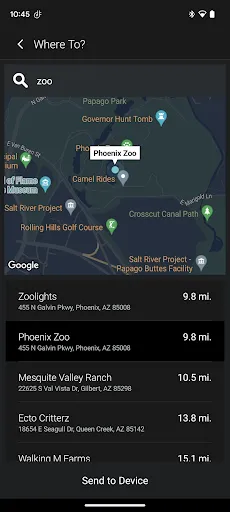
This does only work when the day end with a z. It seems to find the entry for your hotel, but then it gets stuck and you can't send the new address to your device. I love my Garmin watch, but the navigation devices are subpar.
very simple to operate, it's taken me off road in Spain, Portugal and France, never missed a turn. 👍
Absolutely terrible at connecting to and managing your dash camera. The experience is actually worse than the apps provided by the cheapest dash cams on Amazon. Garmin should be ashamed, I'll never buy another one of their products. oh and they'll just delete your account after a while too.
this is my third garmin I own every one of them work great. the garmin zumo is a older unit 2011 and still work like it was then it was new. the garmin zumo tx2 was added to my wife's motorcycle just last year. never have any problems with it works g great. now I have add the garmin rv version to my RV so far I like all the stuff I see on it. if any thi g like the zumos I sure it will be great.
Terribly slow and caused footage loss. Granted I am using a 512GB SD card. It usually doesn't show the latest footage, only showing older footage until a date range is specified for recently at which point it says there's no footage and see all media, doing this a second time usually works. Then it takes forever to load any video preview and if you skip forward or backward it takes nearly a full minute to load again(once the app stopped responding here and deleted 6 hours of footage for 5 trips)
good