On Xiaomi smartphones with official MIUI 14 firmware, it doesn't work to make the text on the front side of the card bold after selecting it (although it is working ok for the back side). For some reason there is an irrational restriction that I cannot share my deck of cards, because it is the default one.
AnkiDroid Flashcards


App Information
| Version | VARY |
| Content Rating | Everyone |
| Android Required | Varies with device |
| Updated | Jan 10, 2026 |
| Developer | AnkiDroid Open Source Team |
| Price | Free |
| Category | Education |
Description
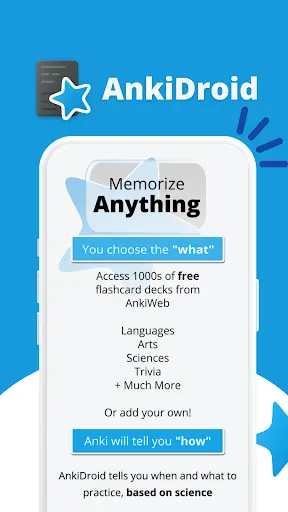
Memorize anything with AnkiDroid!
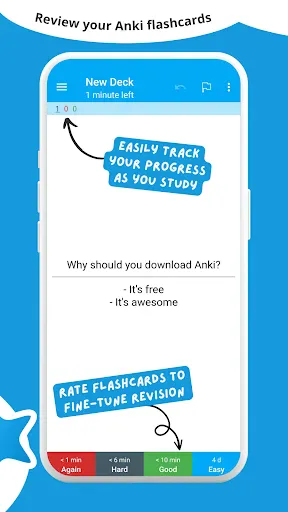
AnkiDroid lets you learn flashcards very efficiently by showing them just before you would forget. It is fully compatible with the spaced repetition software Anki (including synchronization), which is available for Windows/Mac/Linux/ChromeOS/iOS.
Study all sorts of things wherever and whenever you want. Make good use of idle times on bus trips, in supermarket queues or any other waiting situation!
Create your own flashcard decks or download free decks compiled for many languages and topics (thousands available).
Add material through the desktop application Anki or directly through Ankidroid. The application even supports adding material automatically from a dictionary!
Need support? https://docs.ankidroid.org/help.html (much preferred over comments in reviews here :-) )
★ Key features:
• supported flashcard contents: text, images, sounds, mathjax
• spaced repetition (supermemo 2 algorithm)
• text-to-speech integration
• thousands of premade decks
• progress widget
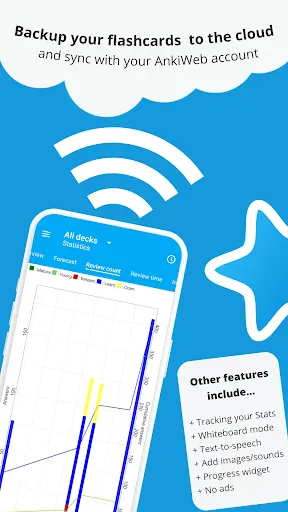
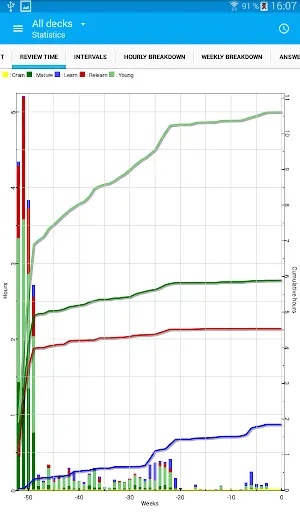
• detailed statistics
• syncing with AnkiWeb
• open source
★ Additional features:
• write answers (optional)
• whiteboard
• card editor/adder
• card browser
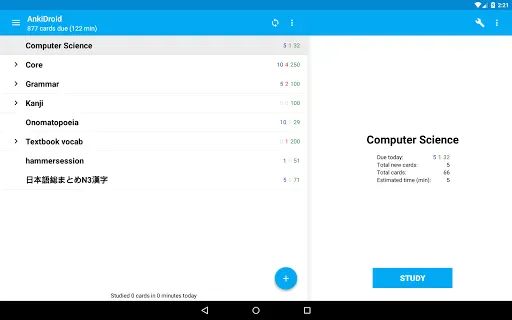
• tablet layout
• import existing collection files (via Anki Desktop)
• add cards by intent from other applications like dictionaries
• custom font support
• full backup system
• navigation by swipe, tap, shake
• fully customisable
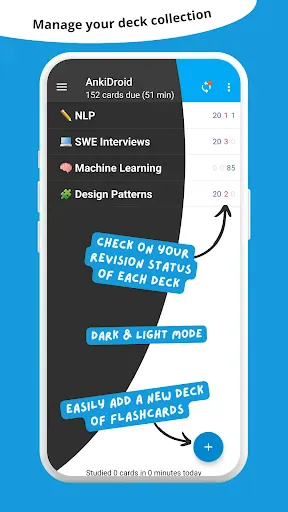
• dynamic deck handling
• dark mode
• 100+ localisations!
• All previous AnkiDroid versions can be downloaded from the website

AnkiDroid lets you learn flashcards very efficiently by showing them just before you would forget. It is fully compatible with the spaced repetition software Anki (including synchronization), which is available for Windows/Mac/Linux/ChromeOS/iOS.
Study all sorts of things wherever and whenever you want. Make good use of idle times on bus trips, in supermarket queues or any other waiting situation!
Create your own flashcard decks or download free decks compiled for many languages and topics (thousands available).
Add material through the desktop application Anki or directly through Ankidroid. The application even supports adding material automatically from a dictionary!
Need support? https://docs.ankidroid.org/help.html (much preferred over comments in reviews here :-) )
★ Key features:
• supported flashcard contents: text, images, sounds, mathjax
• spaced repetition (supermemo 2 algorithm)
• text-to-speech integration
• thousands of premade decks
• progress widget
• detailed statistics
• syncing with AnkiWeb
• open source
★ Additional features:
• write answers (optional)
• whiteboard
• card editor/adder
• card browser
• tablet layout
• import existing collection files (via Anki Desktop)
• add cards by intent from other applications like dictionaries
• custom font support
• full backup system
• navigation by swipe, tap, shake
• fully customisable
• dynamic deck handling
• dark mode
• 100+ localisations!
• All previous AnkiDroid versions can be downloaded from the website
Downloads
User Reviews
4.80
159K+
5
90%
4
5%
3
2%
2
1%
1
2%
V
Apr 28, 2026
S
Apr 26, 2026
❤️ Open Source
M
Apr 29, 2026
amazing
L
Apr 28, 2026
well so far
K
Apr 28, 2026
worst app
I
Apr 28, 2026
Best app for flashcards and revision I have ever tried
D
Apr 29, 2026
Absolutely fantastic. I use it and sync with my computer and it works wonders. The addons are so effective and useful (if you know what you are looking for) and all in all it is just so very fantastically useful. 10/10 would definitely recommend (again)!! 👍
D
Apr 28, 2026
very reliable app .
C
Apr 26, 2026
👌
A
Apr 29, 2026
tad bit old fashioned looking, but awesome to use for my korean hangul learning.